
Introduction
A “related post” is an article suggested to readers on a website or blog based on its relevance to the current article. It aims to provide additional information or insights that could interest the reader and encourage them to explore more content on the site.
Examples:
Below are various scenarios where and how related post can be effectively employed:
Layout 1
-
How to Install a WordPress Theme In 3 Different Ways
Read more: How to Install a WordPress Theme In 3 Different WaysLooking to give your WordPress website a fresh new look? If so, you may be wondering how to install a WordPress theme. WordPress themes are pre-designed templates or stylesheet layouts that determine a WordPress website’s appearance and overall design. They control the visual elements, such as the color scheme, typography, page layout, and other stylistic…
-
Learn Different Ways to Install WordPress Plugins
Read more: Learn Different Ways to Install WordPress PluginsThere are different ways to install WordPress plugins, it’s like adding superpowers to your website, allowing you to customize, optimize, and expand its functionality with ease. However, with multiple methods available, it’s essential to understand the various ways to install these plugins. Whether you prefer a straightforward approach using the built-in Plugin Directory or a…
-
Learn about WordPress Post, Pages, and other Post Types
Read more: Learn about WordPress Post, Pages, and other Post TypesWordPress, undoubtedly one of the most popular content management systems (CMS), powers millions of websites across the internet. Whether you’re a seasoned blogger, a small business owner, or an aspiring content creator, understanding the various elements within WordPress is crucial for maximizing its potential. Among these elements, WordPress post types play a fundamental role in…
Layout 2
-
Types of Schema Markup & Introduction to Structured Data?
Read more: Types of Schema Markup & Introduction to Structured Data?Schema markup, also known as structured data or schema.org markup, is a code that you can add to your website to provide search engines with more information about the content on your pages that have three main types. It helps search engines understand the context of your content, which can lead to enhanced search results,…
-

Things To Know While Switching Demo Importer
Read more: Things To Know While Switching Demo ImporterEnhance Your Gutenify Experience while Express Import or customize import. Are you making the most of Gutenify’s express import and customization capabilities In this guide, we’ll explore how you can optimize the use of Gutenify’s express import feature, customize imports, and implement backup recommendations to amplify your website management experience. Express or Customize Import: Efficient…
-
How to Optimize Images for SEO – Useful Guide
Read more: How to Optimize Images for SEO – Useful GuideAccording to a survey conducted by Google, businesses with photos featured in their organic or local search results are 90% more likely to attract purchases from consumers. Google also looks at more than 200 factors while ranking sites in the SERPs because it’s about ensuring your site’s performance if it aligns better with user expectations.…
Layout 3
Layout 4
-
 Read more: How to create account on wordpress.org?
Creating a WordPress account involves signing up for a wordpress.org account, which allows you to access the WordPress platform for blogging or website creation. Here are the steps to create a WordPress account: Step 1: Open your web browser and go to wordpress.org/plugins. Step 2: Click on the “Register” link at the top right corner.…
-
 Read more: How to Create a Website Using Site Builder in WordPress?
Create a Website Using Site Builder in WordPress today is an entirely new experience. It is quicker and easier to understand, and no coding is needed. You can create and launch a professional-looking website by yourself with no need for developers, old themes, or any hassle through built-in Site Builders and Full Site Editing (FSE).…
-
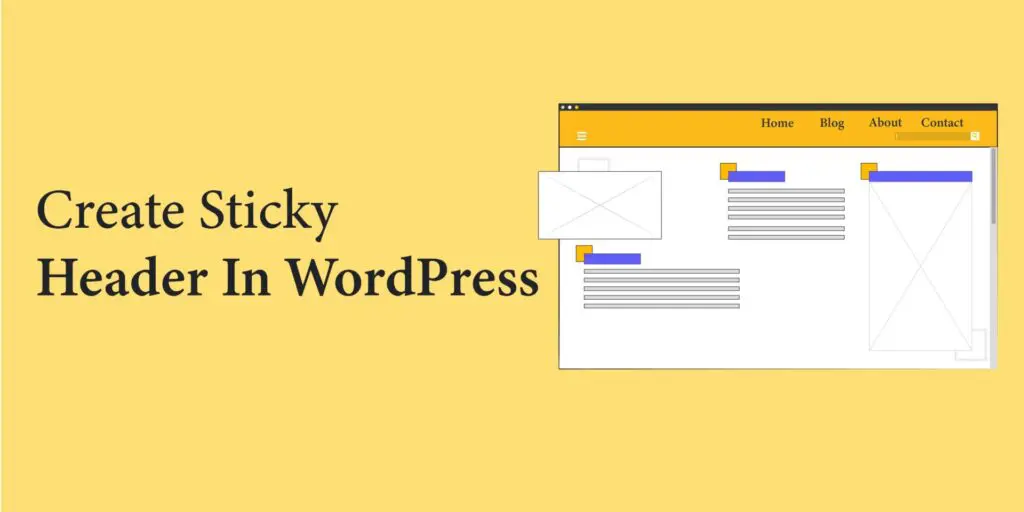 Read more: How to Create a Sticky Header in WordPress
In WordPress 6.2+ we can create any block or section sticky while scrolling using Group Block. There is no need to add any plugin or script in site to achieve it. In this article we are going to see how we can make a Header section Sticky using Group Block. Note: Only “top level” Group…
Layout 5
-
Is WordPress Secure? What You Really Need to Know in 2025
Read more: Is WordPress Secure? What You Really Need to Know in 2025Is WordPress secure? Picture this: you wake up, log in to your laptop, and notice that your WordPress site is down. A hacker has now replaced your homepage with their message. Your traffic has vanished, and customer trust has taken a hit as well. All of this could have been avoided if a plugin had…
-
Learn about WordPress Post, Pages, and other Post Types
Read more: Learn about WordPress Post, Pages, and other Post TypesWordPress, undoubtedly one of the most popular content management systems (CMS), powers millions of websites across the internet. Whether you’re a seasoned blogger, a small business owner, or an aspiring content creator, understanding the various elements within WordPress is crucial for maximizing its potential. Among these elements, WordPress post types play a fundamental role in…
-
Learn Different Ways to Install WordPress Plugins
Read more: Learn Different Ways to Install WordPress PluginsThere are different ways to install WordPress plugins, it’s like adding superpowers to your website, allowing you to customize, optimize, and expand its functionality with ease. However, with multiple methods available, it’s essential to understand the various ways to install these plugins. Whether you prefer a straightforward approach using the built-in Plugin Directory or a…
Advantage
- Increased Engagement: Related posts encourage visitors to stay longer on your site by offering additional relevant content they might find interesting.
- Enhanced User Experience: They provide readers with more valuable information on topics they’re already interested in, improving their overall browsing experience.
- Improved SEO: Related posts can help improve your website’s SEO by increasing internal linking and keeping visitors engaged, which can lower bounce rates and increase session duration.
- Promotion of Older Content: They bring renewed attention to older articles or posts that might still be relevant, extending the lifespan of your content.
- Higher Conversion Rates: By keeping visitors on your site longer and providing them with relevant content, related posts can contribute to higher conversion rates as visitors become more familiar with your offerings.