
Block-Based Mega Menu for WordPress
Gutenify Mega Menu
Create dynamic, responsive, and highly accessible mega menus with tabs, hover effects, and smooth animations, without writing a single line of code.
Pro starts at $29.99/year
4.5/5 Rating on WordPress.org
More Starter Templates
14-Day Money-Back Guarantee
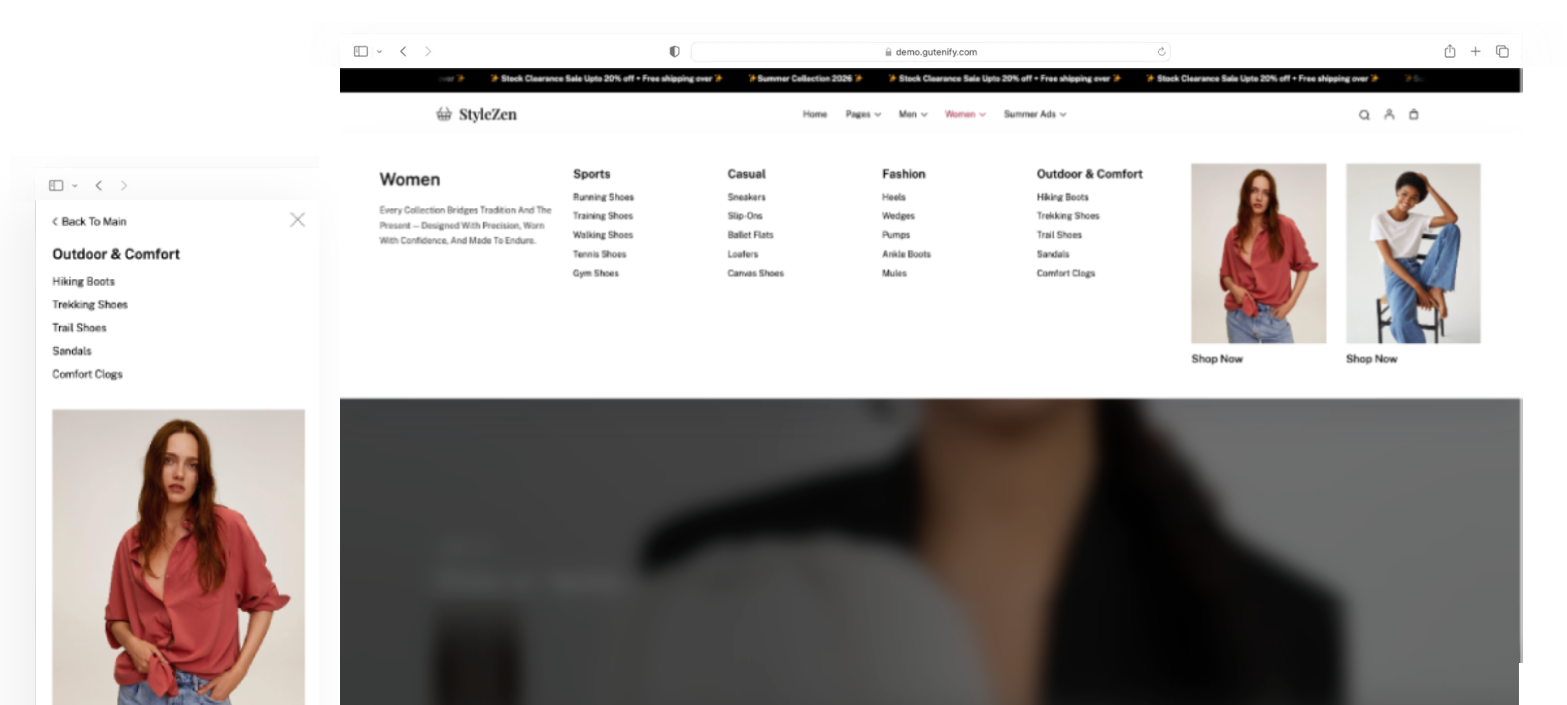
Is your website’s navigation holding you back?
Traditional WordPress menus are limited, hard to style, and terrible on mobile. If you have a content-heavy site, an eCommerce store, or a multifaceted corporate portal, standard drop-downs just don’t cut it. Visitors get lost, and conversions drop.
Introducing Gutenify Mega Menu
The ultimate block-based mega menu builder designed specifically for the modern WordPress Gutenberg editor. Go beyond basic dropdowns.

Advanced Mega Menu Tabs
Organize massive amounts of content cleanly. Desktop Hover Tabs for lightning-fast navigation, and Mobile Accordion for touch-friendly layouts on screens below 1024px.

Built for accessibility
We care about all your users. Full ARIA attribute support, native Enter/Space key toggles, and strict arrow-key navigation out of the box.

Complete Design Freedom
Customize everything to match your brand directly within the WordPress Site Editor. Adjustable spacing, typography, colors, and inherit theme variables natively.
Smooth Animations
Say goodbye to clunky dropdowns. Enjoy fluid slide animations with custom cubic-bezier easing for a premium user experience.
Buy With Confidence
You can upgrade or cancel your plan at any time.

14 Days
Money Back Guarantee

4.5/5
Rating on WordPress.org

Support Within 24 Hours
Replies on business days

Regular Updates
New features and fixes shipped continuously
Up and running in under 10 minutes
Create a powerful mega menu in just a few simple steps. No complicated setup, no coding required. Everything is built with the familiar WordPress Site Editor.
1
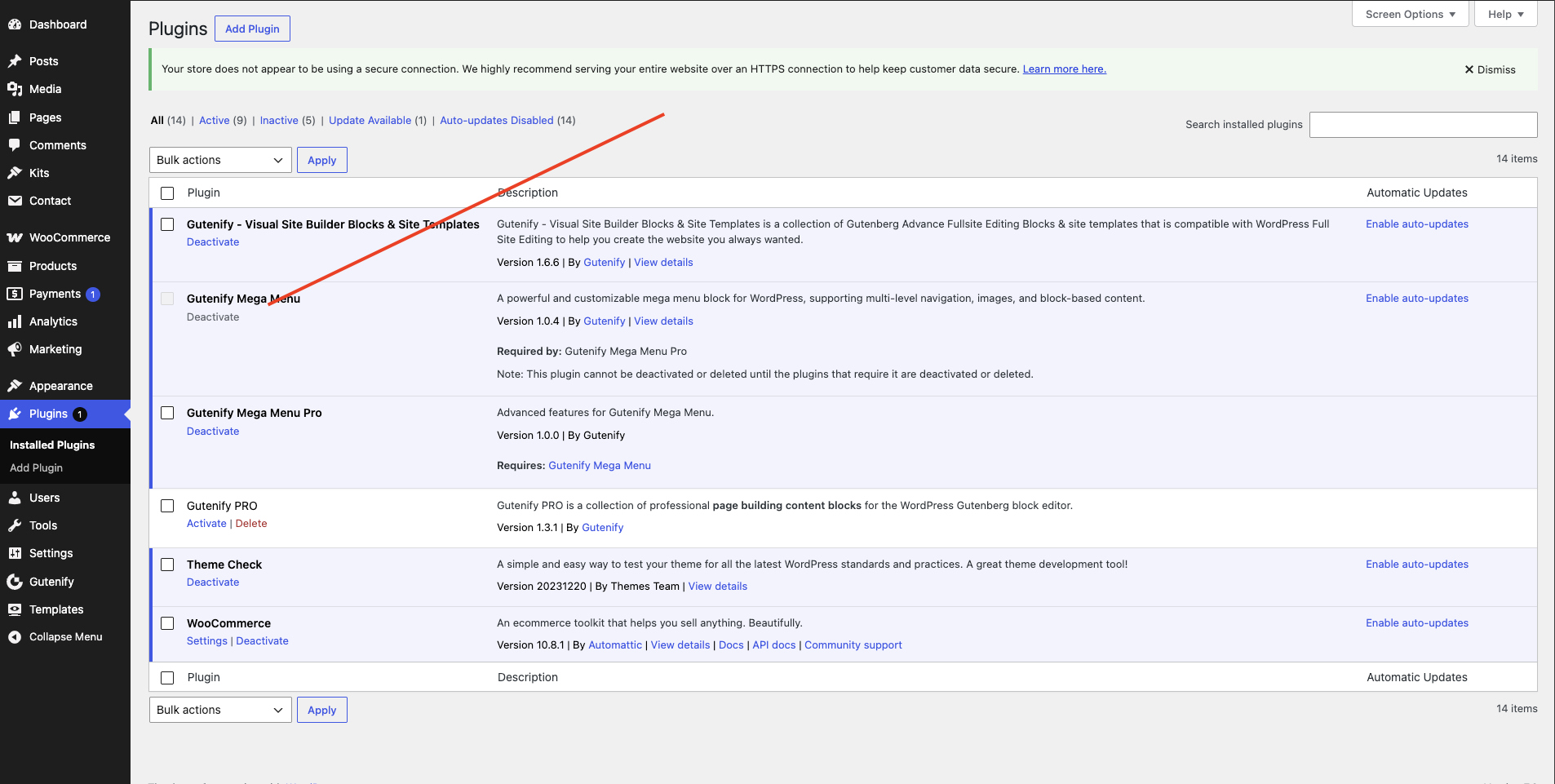
Install & Activate
Install Gutenify Mega Menu from your WordPress dashboard and activate the plugin to unlock advanced mega menu features.
2
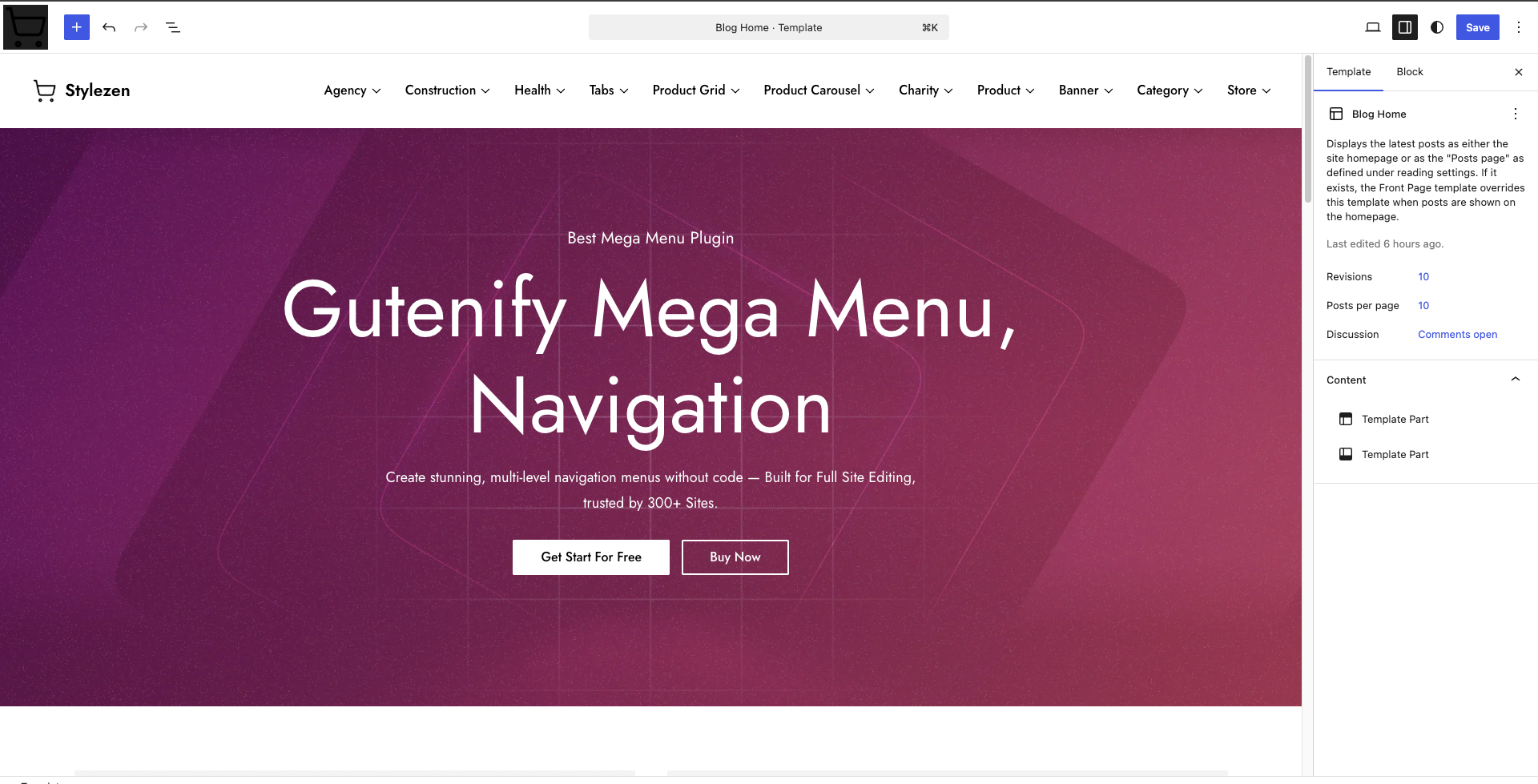
Open the Site Editor
Go to Appearance → Editor and open your site’s Header template part. Remove the default Navigation block, then insert the Gutenify Mega Menu block.
3
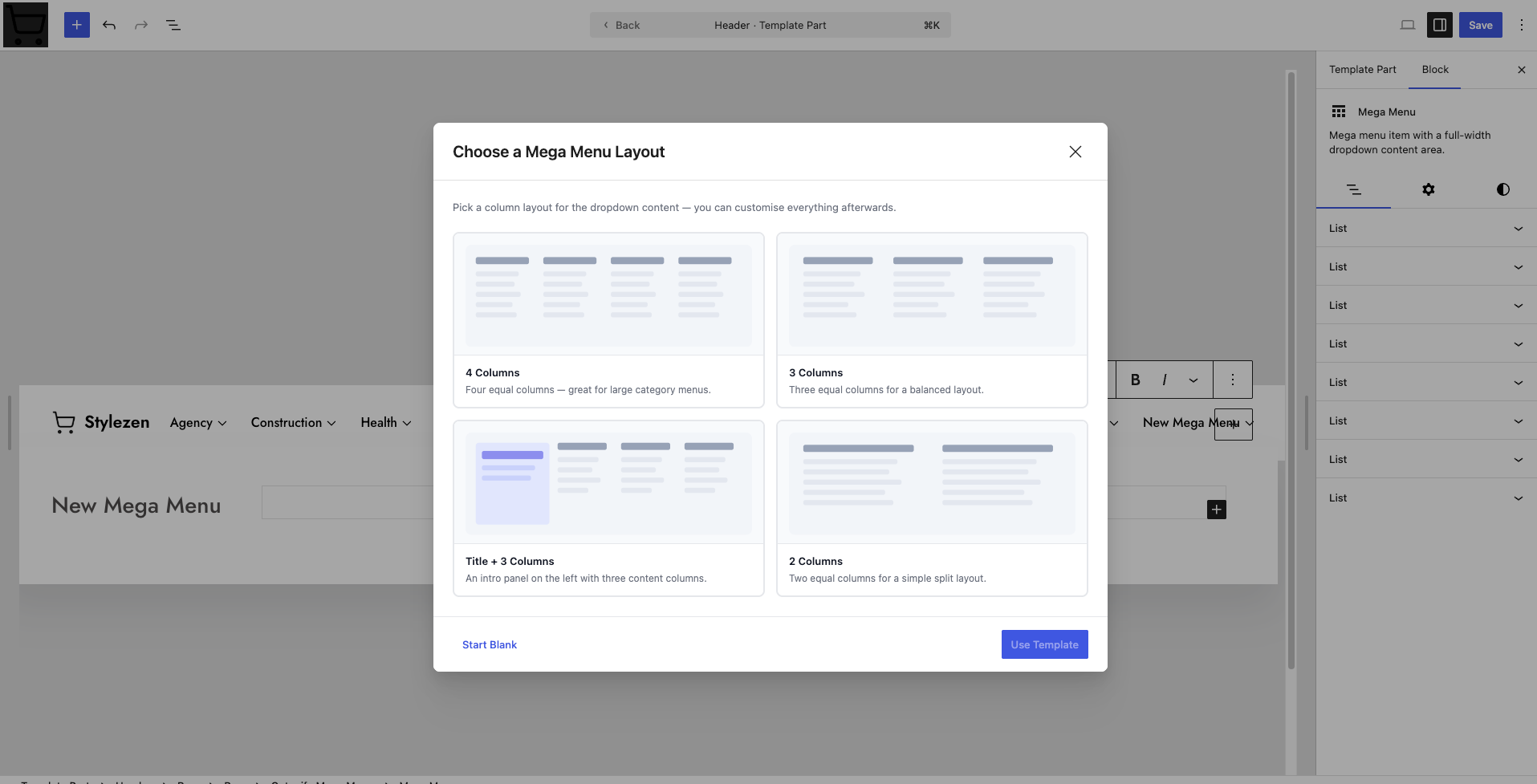
Build Your Menu
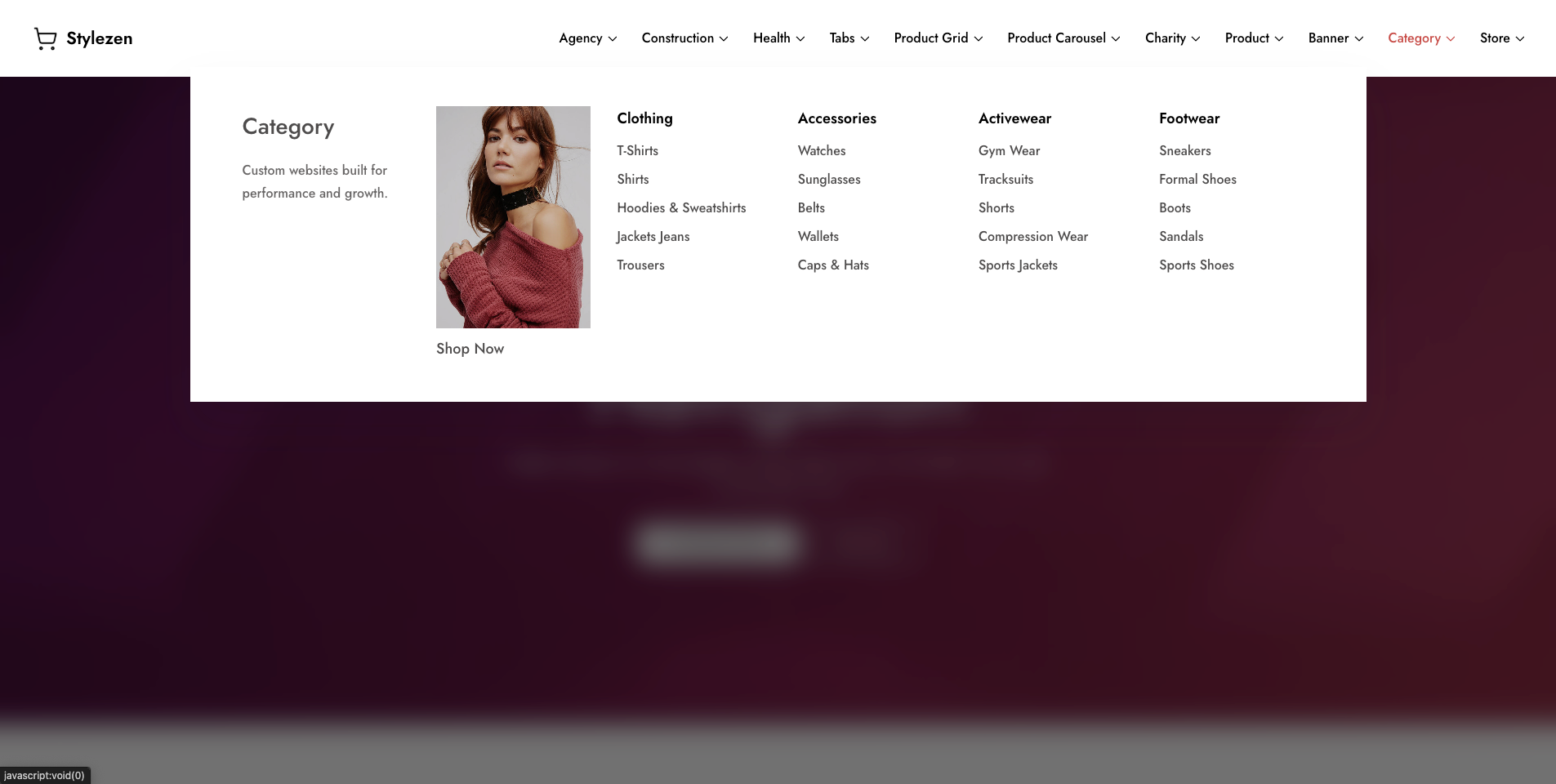
Add menu items, create multi-column layouts, insert tabs, images, buttons, icons, or any WordPress block to design a navigation experience that fits your website.
4
Publish & Go Live
Review your menu, publish your changes, and your fully responsive, accessible mega menu is instantly live for your visitors.
Frequently asked questions
Do you offer a free trial?
There is no trial period, but there is a 14-day money-back guarantee.
Which payment methods do you accept?
We accept all major credit cards and PayPal.
How do I get updates?
As long as you have an active license, you will be able to update just like any other WordPress plugin – with the click of a button. We even offer an auto-update option.
Do I need to uninstall the free version to install the PRO or the Business version?
No. Pro is built on top of the free plugin, so keep both installed and activated.
How often do you release updates?
Our products are always up to date with the new guidelines. Although our team continuously works on improving, we don’t follow a fixed schedule for updates. If a critical update or if a bug is found, we release an update immediately to fix it. We constantly keep on adding new features all the time. As soon as an update is released, you will see it inside your WordPress admin area.
What is your refund policy?
We offer a 14-day no-questions-asked refund policy on new purchases. Don’t like the plugin for any reason? Drop us an email from our support page and we will refund your entire purchase without even asking “why?”.
As for renewing, there is no refund. Our system sends you emails before any renewal payment. You can cancel or send us cancellation requests before any renewal. But once renewal payment is processed, it can’t be refunded.