
Introduction
A “related post” is an article suggested to readers on a website or blog based on its relevance to the current article. It aims to provide additional information or insights that could interest the reader and encourage them to explore more content on the site.
Examples:
Below are various scenarios where and how related post can be effectively employed:
Layout 1
-
Solving issue: Warning: file_get_contents(): SSL operation failed with code 1
Read more: Solving issue: Warning: file_get_contents(): SSL operation failed with code 1Some time you might get following error. This is due the restriction in your server. Please check if your SSL certificate is valid in your server. If not please contact your hosting or SSL provider to fix the SSL issue. After fixing the SSL issue above issue will get auto solved.
-
How to Submit a Great Support Ticket
Read more: How to Submit a Great Support TicketProduct development is a continuous process and users might encounter issues while using the product like theme or plugin. In such cases, we are always there for you to help you with any problems. This article Walks you through the steps for sending a proper support ticket. Before sending the issue: Reporting Issue: Issue screenshots:…
-
Best WordPress Email Marketing Tools
Read more: Best WordPress Email Marketing ToolsDo you want to use the best WordPress email marketing tools to expand your business? Since many email users regularly check their inboxes, you can use these tools to attract visitors with the right intent to connect with your target market. Consequently, when people join your email list, you are free to continue marketing to them…
Layout 2
-
10+ Best WordPress Restaurant Themes with FSE Support
Read more: 10+ Best WordPress Restaurant Themes with FSE SupportAre you looking for the most modern, flexible, and easy to change best WordPress restaurant themes? Full Site Editing (FSE) support is now the norm in WordPress, so it’s time to get rid of clunky builders and switch to themes that let you fully control the design—without having to touch code. This list has 10+…
-
WordPress vs Drupal: Which CMS is Right for You?
Read more: WordPress vs Drupal: Which CMS is Right for You?WordPress powers more than 40% of websites on the internet. It’s easy to use, flexible, and backed by a huge library of themes and plugins that let you build almost anything without heavy coding. Drupal, on the other hand, takes a different approach. It’s built for strength, security, and handling complex websites. That’s why it’s…
-
Best Benefits of Link Building
Read more: Best Benefits of Link BuildingIf you’ve ever Googled “how to grow my website traffic,” you’ve probably come across the term link building. It sounds technical, but it’s actually pretty simple and understanding the benefits of link building could change how you think about growing your site online. Link building remains one of the most powerful and most misunderstood disciplines in SEO. Despite…
Layout 3
Layout 4
-
 Read more: Amateur Blogging: Do’s & Don’ts of Starting Out, Tips for Success
Amateur blogging has undeniably become an immensely popular medium for self-expression, sharing knowledge, and building a community. Thanks to the rise of social media platforms, and easy-to-use blogging software, anyone can start a blog and share their thoughts with the world. Amateur blogging has become a popular trend among individuals who want to share their…
-
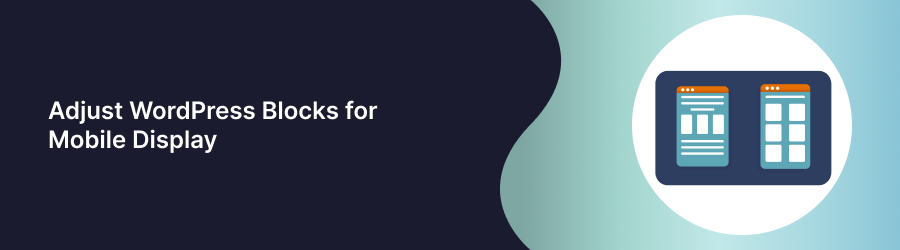 Read more: Adjust WordPress Blocks for Mobile Display
Posts and Pages can now be previewed on mobile devices with WordPress 5.5. Before Publish or Update button, you can switch your dashboard view from desktop to tablet or phone screen sizes by clicking the Preview button at the top of a page or post. Basically all the blocks are mobile responsive. There is no additional…
-
 Read more: Adding Custom CSS or JavaScript in WordPress FSE Site.
Recently WordPress has released Full Site Editor (FSE) and hidden the old Customizer options from backend. Admin had option to add custom css in customizer but in FSE this option is hidden. Event though menu is hidden for Customizer it can be accessed through url like https://YOURSITE.com/wp-admin/customize.php. Scroll down to the bottom of the page…
Layout 5
-
The Complete Guide to Creating Contact Links: Email, Phone, WhatsApp, and Skype
Read more: The Complete Guide to Creating Contact Links: Email, Phone, WhatsApp, and SkypeIn this comprehensive guide, we will explore the process of creating contact links for various communication platforms like WhatsApp, Skype, email, and phone. Whether you want to enhance your website or streamline your online presence, this guide will provide you with step-by-step instructions on how to create clickable links that allow visitors to contact you…
-
The Ultimate Guide: Adding a WordPress Favicon to Your Website
Read more: The Ultimate Guide: Adding a WordPress Favicon to Your WebsiteAdding a WordPress favicon to your website is so simple just Imagine browsing through numerous tabs in your web browser, searching for a specific website. Suddenly, your eyes are drawn to a distinct, eye-catching icon that represents the brand you’re looking for. That is the power of a favicon. Favicons not only enhance the visual…
-
Things To Know While Switching Demo Importer
Read more: Things To Know While Switching Demo ImporterEnhance Your Gutenify Experience while Express Import or customize import. Are you making the most of Gutenify’s express import and customization capabilities In this guide, we’ll explore how you can optimize the use of Gutenify’s express import feature, customize imports, and implement backup recommendations to amplify your website management experience. Express or Customize Import: Efficient…
Advantage
- Increased Engagement: Related posts encourage visitors to stay longer on your site by offering additional relevant content they might find interesting.
- Enhanced User Experience: They provide readers with more valuable information on topics they’re already interested in, improving their overall browsing experience.
- Improved SEO: Related posts can help improve your website’s SEO by increasing internal linking and keeping visitors engaged, which can lower bounce rates and increase session duration.
- Promotion of Older Content: They bring renewed attention to older articles or posts that might still be relevant, extending the lifespan of your content.
- Higher Conversion Rates: By keeping visitors on your site longer and providing them with relevant content, related posts can contribute to higher conversion rates as visitors become more familiar with your offerings.