

Block-Based Mega Menu for WordPress
Gutenify Mega Menu Pro
Gutenify Mega Menu Pro adds professional animations, mobile-first layouts, and per-item precision on top of the free block-based mega menu builder.
Pro starts at $29.99/year
4.5/5 Rating on WordPress.org
More Starter Templates
14-Day Money-Back Guarantee
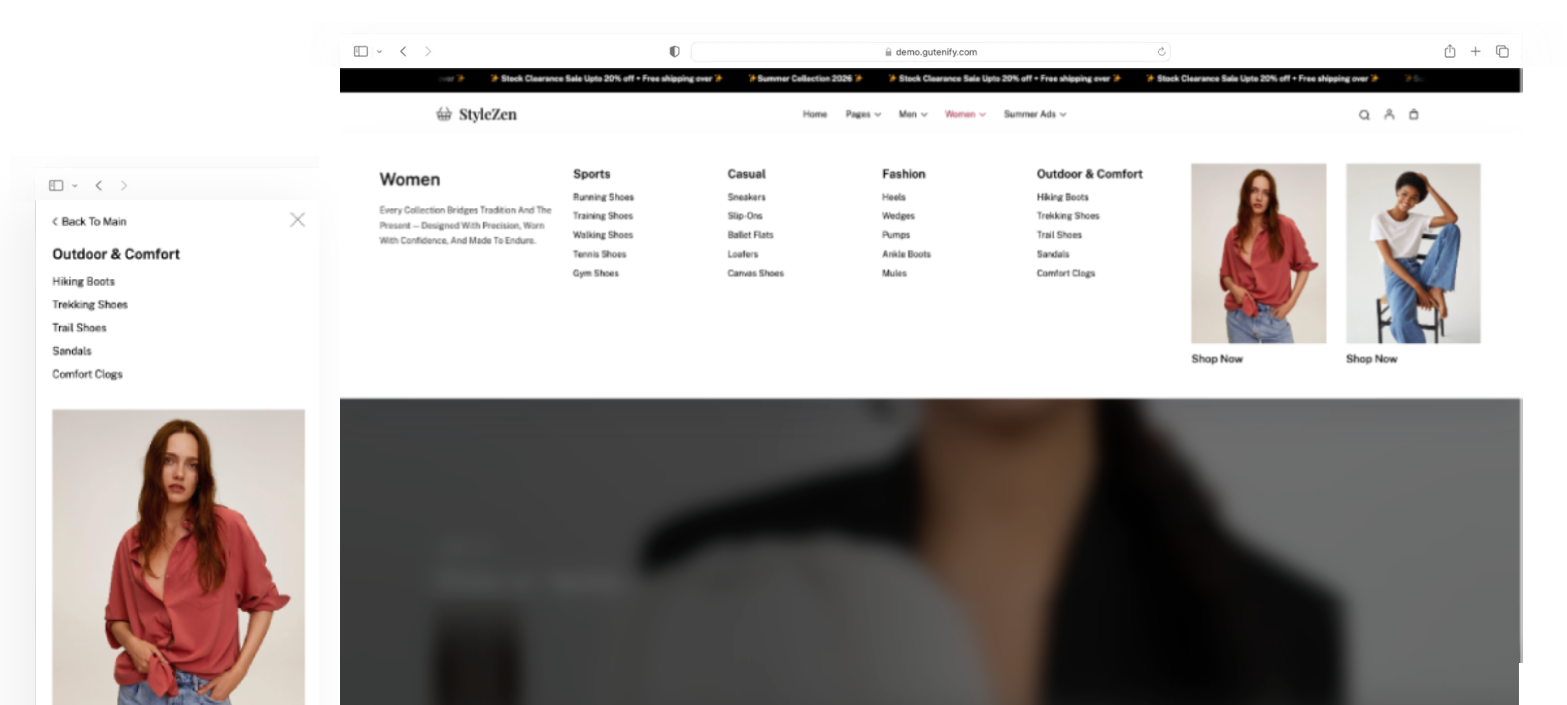
Why standard WordPress menus fall short.
Traditional navigation menus are limited in design and flexibility. They can frustrate visitors, make content harder to find, and reduce engagement on your website.

Dropdowns are rigid
No columns, no rich content, no visual hierarchy.

Mobile navigation breaks down
Desktop-first menus become unusable accordions on phones.

Fine-tuning is impossible
Every menu item behaves identically, with no per-item control.
Everything packed in, nothing held back


Mega Menu Dropdown Animations
Choose how your mega menu dropdown enters the screen: Zoom, Fade, Slide-down, Flip, or none at all. Set a hover-open delay so menus don’t fire on accidental cursor passes.

Mega Menu Tabs Block for WordPress
Four dedicated blocks — Mega Menu Tabs, Tab Item, Tab Header, Tab Content — for building tabbed mega menu content inside a dropdown panel, replacing rigid single-panel layouts.
Scroll Lock & Backdrop
When a dropdown or mobile menu opens, the page behind it stops scrolling and dims — no more losing your place on a long page while a mega menu is open.

Mega Menu Layout Controls (Width, Position, Padding)
Control dropdown width (Full / Content / Wide / Custom in px, %, or vw), position (center, left, or right), and padding — globally, or overridden per individual menu item.
Mobile Mega Menu Styles
8 mobile mega menu styles: off-canvas from the left or right, fullscreen from any of 4 directions, fade, or zoom. Set a custom breakpoint per navigation instead of being locked to the free plugin’s fixed 1024px cutoff. Add top/bottom panel offset for sites with sticky headers or cookie banners.
Per-Item Menu Controls
Every menu item can independently override: title visibility (always show, always hide, desktop-only, mobile-only), dropdown width, and dropdown position. Add a “New” badge with an automatic expiry date — no manual cleanup needed.
Simple Pricing
Premium
Single site
Best for Single Site Owners who want Premium Features
The Essentials
$29.99 / year
By purchasing you agree to our Terms of Service
Business
10 sites
Best for Freelancers/Small business with more than one website
Most Popular
$79.99 / year
By purchasing you agree to our Terms of Service
Agency
1000 sites
Best for Agency Owners
with high volume
Best Value
$129.99 / year
By purchasing you agree to our Terms of Service
- Support is provided for the lifetime of your license.
- For Support, please check Support Policy
- Feature Request will depend on the feasibility of the feature and our team availability.
- All paid products have 14 days money back guarantee
Something still bothering you? Go ahead and ask us everything you need to know before making the purchase here.
Buy With Confidence
You can upgrade or cancel your plan at any time.

14 Days
Money Back Guarantee

4.5/5
Rating on WordPress.org

Support Within 24 Hours
Replies on business days

Regular Updates
New features and fixes shipped continuously
Up and running in under 10 minutes
Create a powerful mega menu in just a few simple steps. No complicated setup, no coding required. Everything is built with the familiar WordPress Site Editor.
1
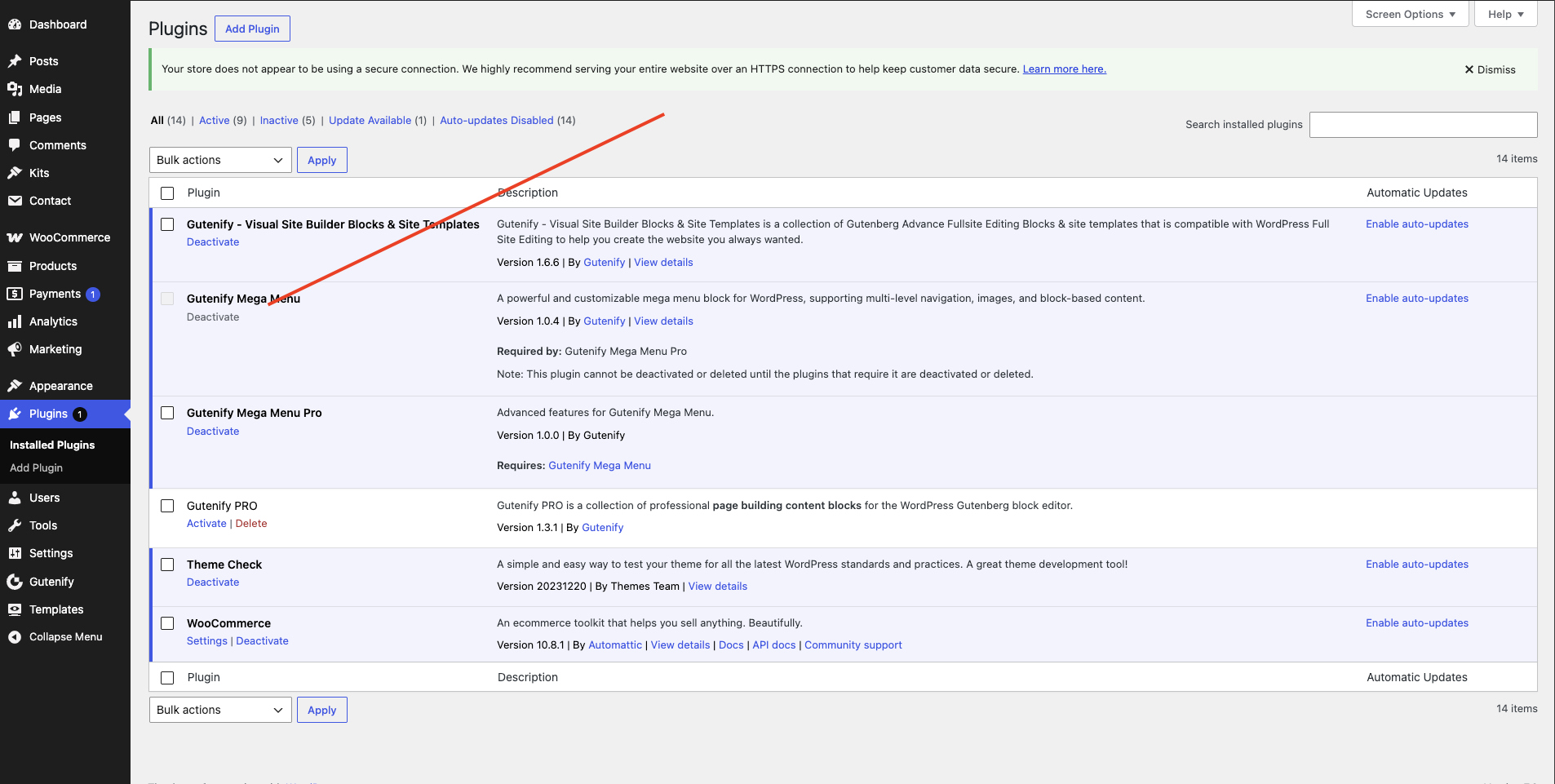
Install & Activate
Install Gutenify Mega Menu from your WordPress dashboard and activate the plugin to unlock advanced mega menu features.
2
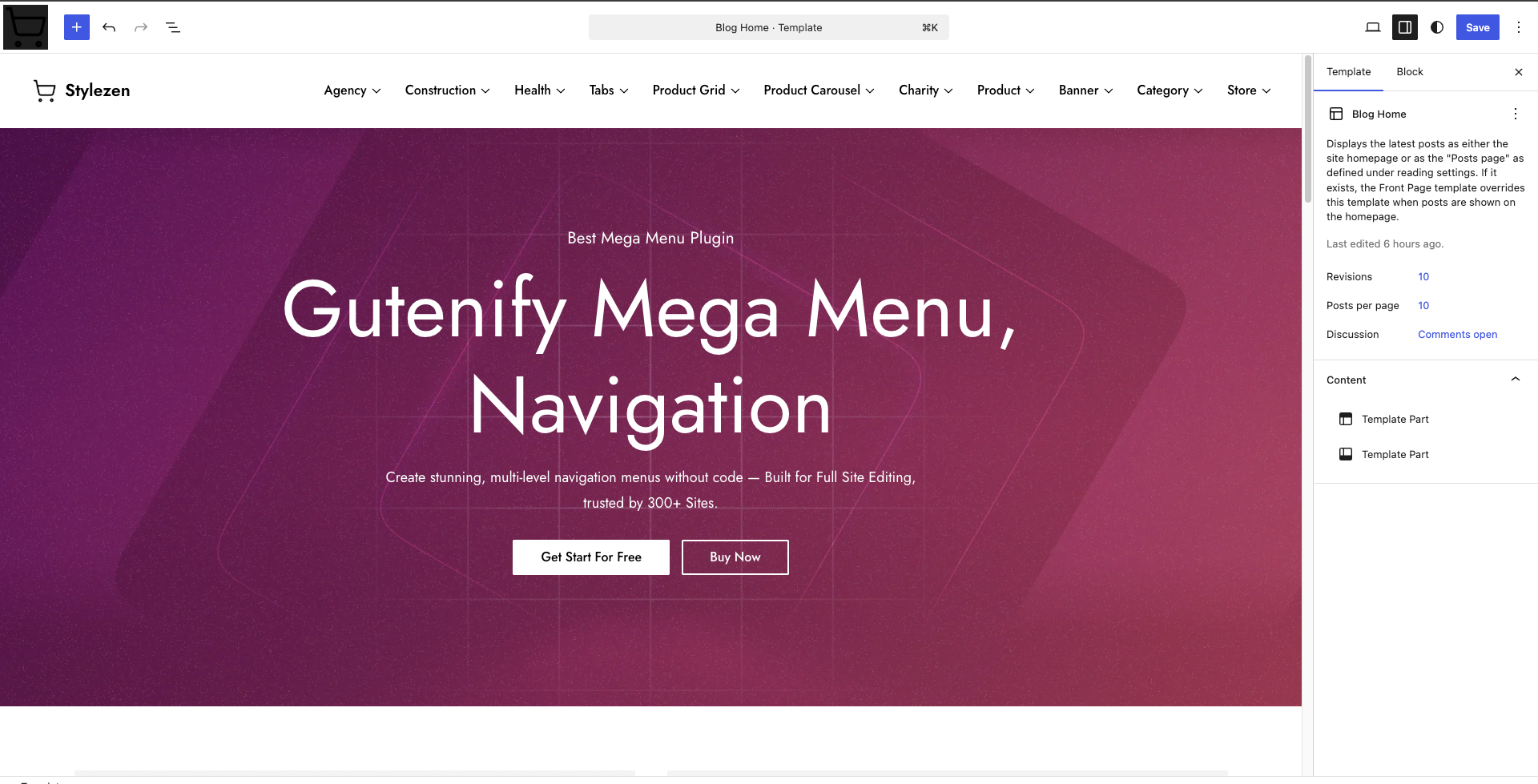
Open the Site Editor
Go to Appearance → Editor and open your site’s Header template part. Remove the default Navigation block, then insert the Gutenify Mega Menu block.
3
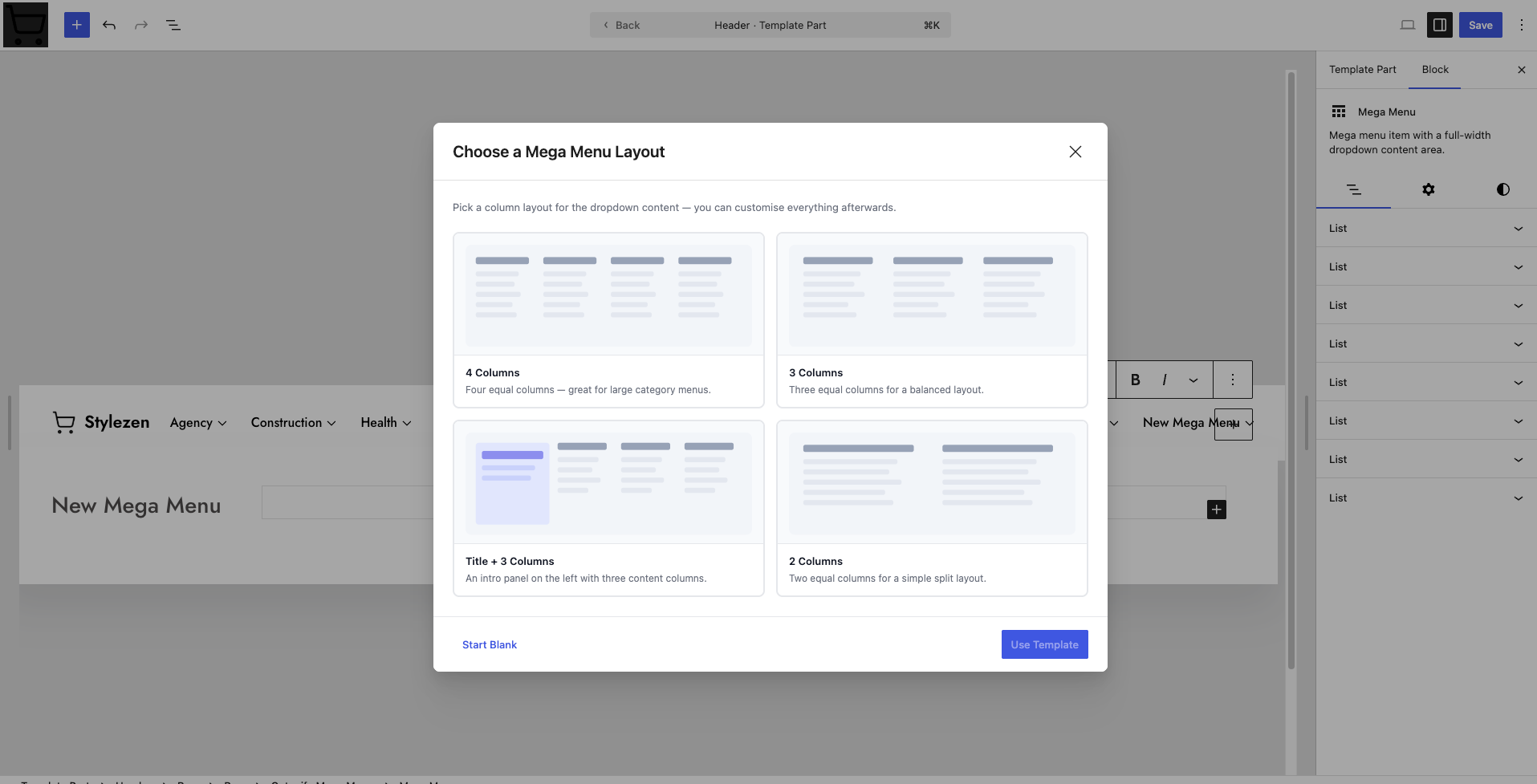
Build Your Menu
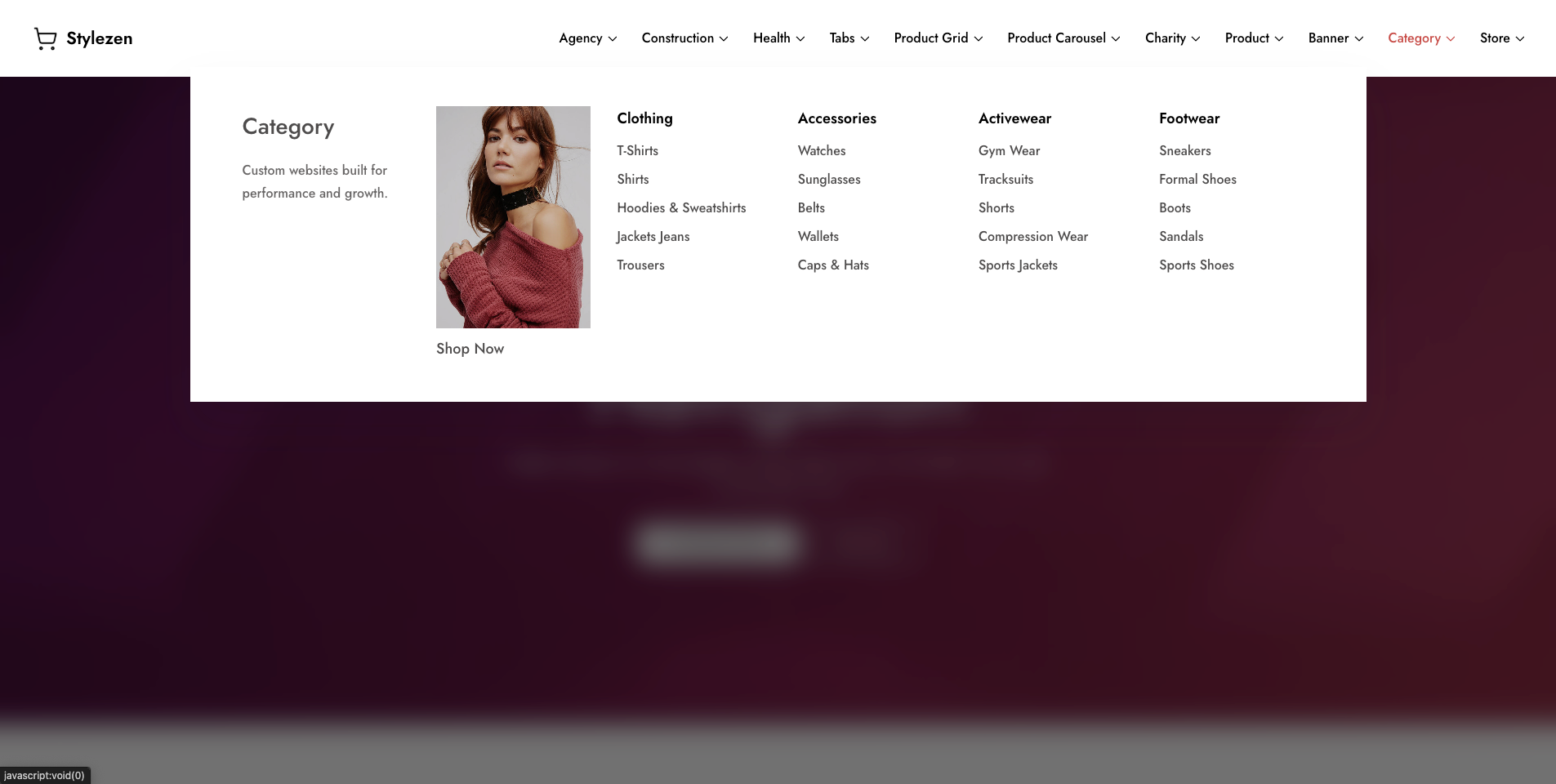
Add menu items, create multi-column layouts, insert tabs, images, buttons, icons, or any WordPress block to design a navigation experience that fits your website.
4
Publish & Go Live
Review your menu, publish your changes, and your fully responsive, accessible mega menu is instantly live for your visitors.

Block-Based Mega Menu for WordPress
Stop Losing Visitors to Confusing Navigation.
Frequently asked questions
Do you offer a free trial?
There is no trial period, but there is a 14-day money-back guarantee.
Which payment methods do you accept?
We accept all major credit cards and PayPal.
How do I get updates?
As long as you have an active license, you will be able to update just like any other WordPress plugin – with the click of a button. We even offer an auto-update option.
Do I need to uninstall the free version to install the PRO or the Business version?
No. Pro is built on top of the free plugin, so keep both installed and activated.
How often do you release updates?
Our products are always up to date with the new guidelines. Although our team continuously works on improving, we don’t follow a fixed schedule for updates. If a critical update or if a bug is found, we release an update immediately to fix it. We constantly keep on adding new features all the time. As soon as an update is released, you will see it inside your WordPress admin area.
What is your refund policy?
We offer a 14-day no-questions-asked refund policy on new purchases. Don’t like the plugin for any reason? Drop us an email from our support page and we will refund your entire purchase without even asking “why?”.
As for renewing, there is no refund. Our system sends you emails before any renewal payment. You can cancel or send us cancellation requests before any renewal. But once renewal payment is processed, it can’t be refunded.